Django: Company Website
Published:
This chapter covers building a Company Website project with Django 6 in the project4 working folder, with a focus on template architecture, class-based views, and more systematic application testing.
In this chapter, we will learn:
- How to set up the fourth project in the
project4folder. - The concept of
project-level templates. - Function-based views for the Homepage.
- Django template context, tags, and filters.
- Class-based views (
TemplateView) for the About page. - Using
get_context_data()to pass context in CBVs. - Template inheritance with
base.html. - Named URLs to avoid hardcoded paths.
- Testing URLs, URL names, templates, and content.
- A Git and GitHub workflow to save progress.
1. Company Website Chapter Overview
This is the fourth project before we move into database and model-based Django projects. Because of that, this chapter strengthens three non-model areas that are very important:
- Views
- URLs
- Templates
In the original chapter, the setup still used the Django 5 series. In this note, we adjust all steps to Django 6 to stay consistent with the previous chapters.
2. Initial Setup in project4
2.1 Create the working folder
# Windows
cd onedrive\desktop\pawf\django
mkdir project4
cd project4

# macOS
cd ~/desktop/pawf/django
mkdir -p project4
cd project4
Make sure you are not currently inside another virtual environment. If one is still active, run:
deactivate
2.2 Create a virtual environment and install packages
# Windows
python -m venv .venv
.venv\Scripts\Activate.ps1
python -m pip install Django==6.0.4 black

# macOS
python3 -m venv .venv
source .venv/bin/activate
python3 -m pip install Django==6.0.4 black
2.3 Create the project and app
django-admin startproject django_project .
python manage.py startapp pages
Register the pages app in django_project/settings.py:
INSTALLED_APPS = [
	"django.contrib.admin",
	"django.contrib.auth",
	"django.contrib.contenttypes",
	"django.contrib.sessions",
	"django.contrib.messages",
	"django.contrib.staticfiles",
	"pages",  # new
]
Initialize the database and run the server:
python manage.py migrate
python manage.py runserver
Open http://127.0.0.1:8000/ to confirm the default Django page appears.
3. Project-Level Templates
In the previous chapter, we placed templates at the app level (for example, pages/templates/pages/). In this chapter, we try another very popular approach: a single templates folder at the project level.
Benefits of this approach:
- All templates are centralized in one place.
- It is faster to find and update templates.
- It works well for small-to-medium sites with many static pages.
Stop the server, then create the global template folder:
mkdir templates
Update django_project/settings.py in the TEMPLATES configuration:
TEMPLATES = [
	{
		"BACKEND": "django.template.backends.django.DjangoTemplates",
		"DIRS": [BASE_DIR / "templates"],  # new
		"APP_DIRS": True,
		"OPTIONS": {
			"context_processors": [
				"django.template.context_processors.request",
				"django.contrib.auth.context_processors.auth",
				"django.contrib.messages.context_processors.messages",
			],
		},
	},
]
Create templates/home.html:
<h1>Company Homepage</h1>
project4 directory structure at this stage (homepage only):
project4/
├── .venv/
├── db.sqlite3
├── manage.py
├── django_project/
│   ├── __init__.py
│   ├── asgi.py
│   ├── settings.py
│   ├── urls.py
│   └── wsgi.py
├── pages/
│   ├── __init__.py
│   ├── admin.py
│   ├── apps.py
│   ├── models.py
│   ├── tests.py
│   ├── urls.py
│   ├── views.py
│   └── migrations/
└── templates/
    └── home.html
4. Function-Based View and URL
Update pages/views.py:
from django.shortcuts import render


def home_page_view(request):
	return render(request, "home.html")
Create pages/urls.py:
from django.urls import path
from .views import home_page_view

urlpatterns = [
	path("", home_page_view),
]
Connect it in project URLs at django_project/urls.py:
from django.contrib import admin
from django.urls import include, path

urlpatterns = [
	path("admin/", admin.site.urls),
	path("", include("pages.urls")),
]
Run the server:
python manage.py runserver
Open http://127.0.0.1:8000/ and the Company Homepage page will appear.
5. Template Context, Tags, and Filters
Add context to the homepage in pages/views.py:
from django.shortcuts import render


def home_page_view(request):
	context = {
		"inventory_list": ["Widget 1", "Widget 2", "Widget 3"],
		"greeting": "THAnk you FOR visitING.",
	}
	return render(request, "home.html", context)
Update templates/home.html:
<h1>Company Homepage</h1>
<p>The current date and time is: {% now "DATETIME_FORMAT" %}</p>
<p>There are {{ inventory_list|length }} items of inventory.</p>
<ul>
  {% for item in inventory_list %}
  <li>{{ item }}</li>
  {% endfor %}
</ul>
<p>{{ greeting|title }}</p>
{% comment %}Add more content here!{% endcomment %}
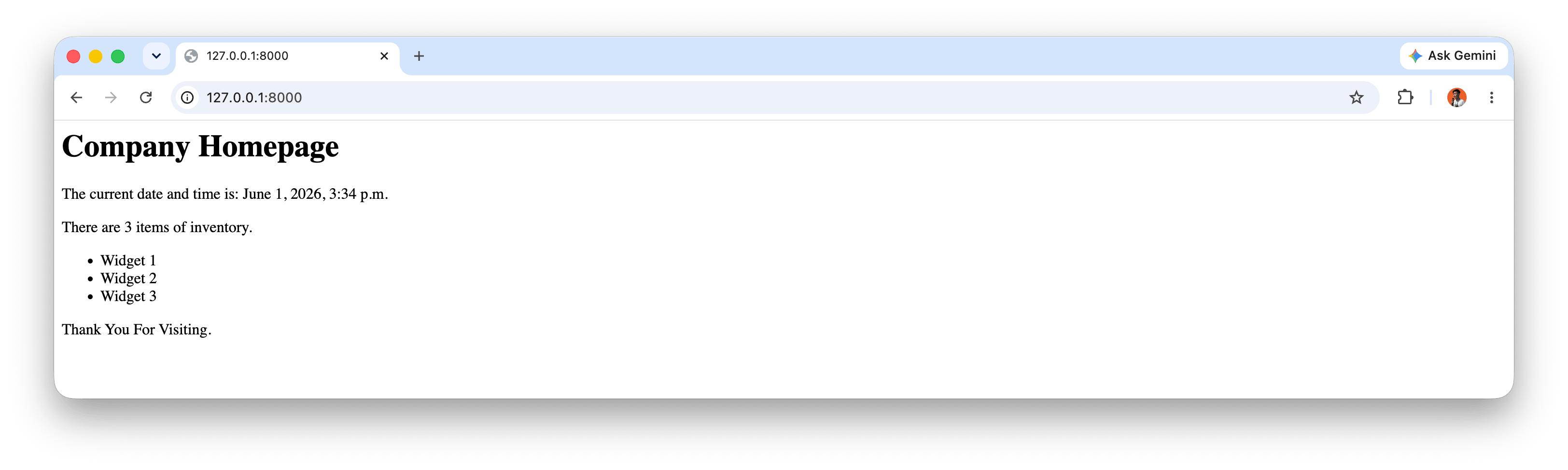
What is practiced in this section:
context: a key-value dictionary from view to template.nowtag: displays date/time based on Django format settings.lengthfilter: counts list/string length.fortag: iterates through list items.titlefilter: converts text to title case.commenttag: comments that do not appear in the browser.
6. Function-Based View vs Class-Based View
In the Django community, the FBV vs CBV discussion is very common.
In short:
- Function-based views (FBV) are easier for beginners to understand.
- FBVs can become long and repetitive in larger projects.
- Class-based views (CBV) are more reusable thanks to inheritance.
- Generic class-based views help abstract common patterns.
Historically, Django strongly encourages class-based/generic class-based views for suitable use cases because maintainability is often better.
7. About Page with TemplateView
Update pages/views.py:
from django.shortcuts import render
from django.views.generic import TemplateView


def home_page_view(request):
	context = {
		"inventory_list": ["Widget 1", "Widget 2", "Widget 3"],
		"greeting": "THAnk you FOR visitING.",
	}
	return render(request, "home.html", context)


class AboutPageView(TemplateView):
	template_name = "about.html"
Update pages/urls.py:
from django.urls import path
from .views import AboutPageView, home_page_view

urlpatterns = [
	path("about/", AboutPageView.as_view()),
	path("", home_page_view),
]
Important note:
- CBVs must be called with
.as_view()when attached to URLs. - This is the most fundamental URL configuration difference between FBVs and CBVs.
Create templates/about.html:
<h1>Company About Page</h1>
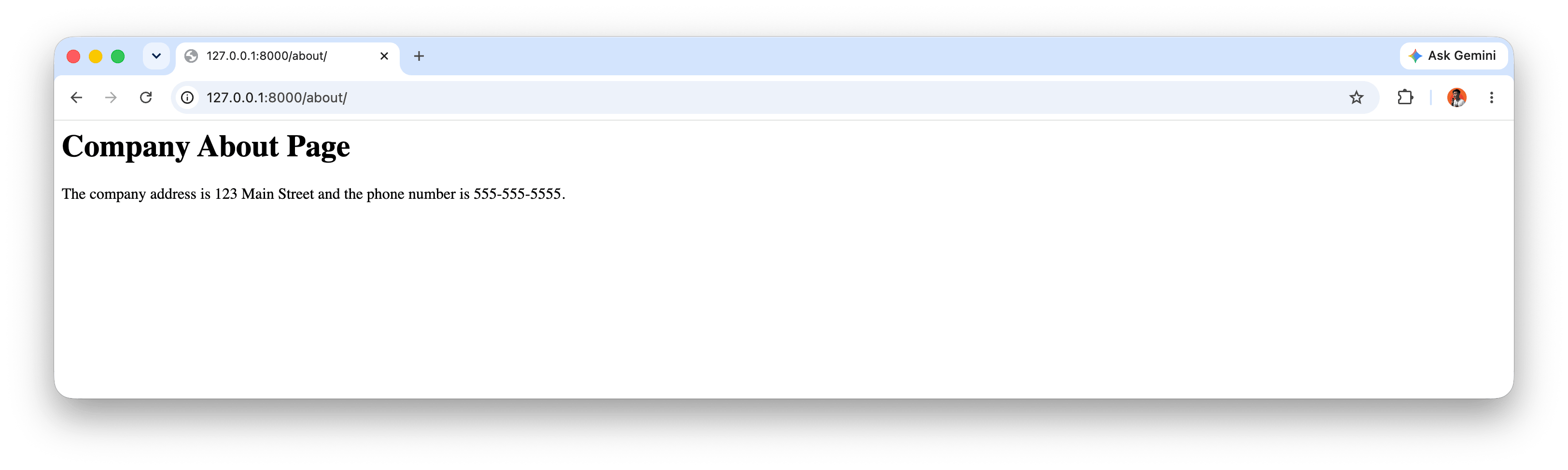
Open http://127.0.0.1:8000/about/.
8. get_context_data() in Class-Based Views
One of the most important methods in generic CBVs is get_context_data().
Update the AboutPageView class in pages/views.py:
class AboutPageView(TemplateView):
	template_name = "about.html"

	def get_context_data(self, **kwargs):
		context = super().get_context_data(**kwargs)
		context["contact_address"] = "123 Main Street"
		context["phone_number"] = "555-555-5555"
		return context
Update templates/about.html:
<h1>Company About Page</h1>
<p>
  The company address is {{ contact_address }} and the phone number is
  {{ phone_number }}.
</p>
Use Django template variable syntax (double curly braces) to display context values in templates.
9. Template Inheritance
Another powerful Django template feature is template inheritance.
Create templates/base.html:
<header>
  <a href="/">Home</a> |
  <a href="/about">About</a>
</header>
{% block content %}{% endblock %}
Update templates/home.html:
{% extends "base.html" %}
{% block content %}
<h1>Company Homepage</h1>
<p>The current date and time is: {% now "DATETIME_FORMAT" %}</p>
<p>There are {{ inventory_list|length }} items of inventory.</p>
<ul>
  {% for item in inventory_list %}
  <li>{{ item }}</li>
  {% endfor %}
</ul>
<p>{{ greeting|title }}</p>
{% comment %}Add more content here!{% endcomment %}
{% endblock %}
Update templates/about.html:
{% extends "base.html" %}
{% block content %}
<h1>Company About Page</h1>
<p>
  The company address is {{ contact_address }} and the phone number is
  {{ phone_number }}.
</p>
{% endblock %}
With this approach, the header is written once in base.html and reused by all pages.
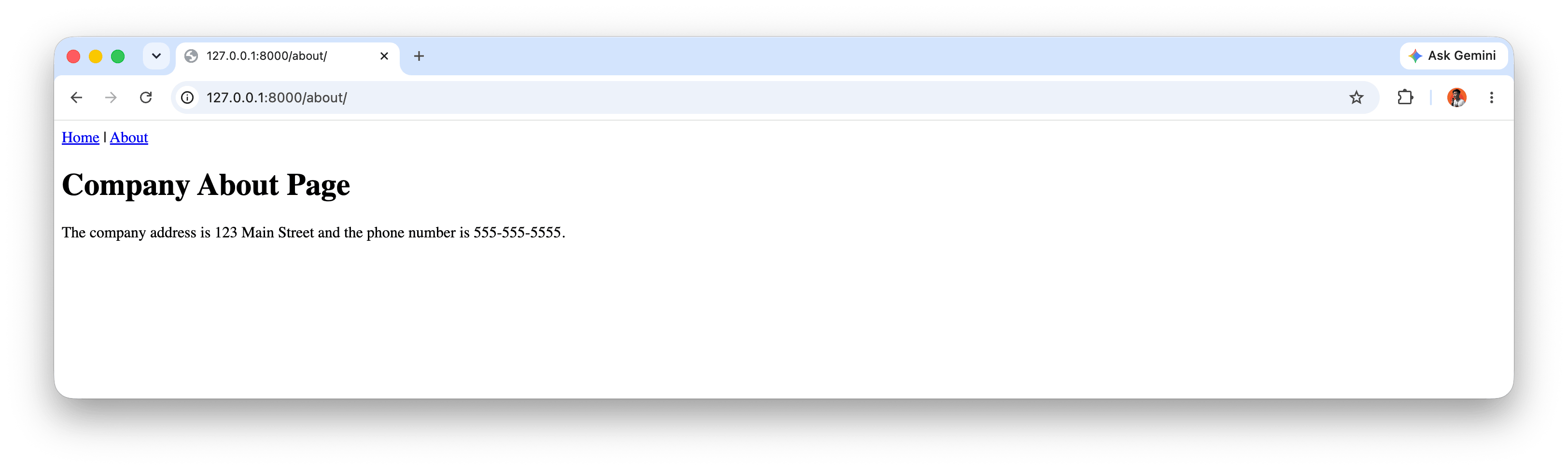
10. Named URLs
Hardcoded URLs (/, /about) are error-prone when routes change. Django best practice is to name URLs and reference them by name.
Update pages/urls.py:
from django.urls import path
from .views import AboutPageView, home_page_view

urlpatterns = [
	path("about/", AboutPageView.as_view(), name="about"),
	path("", home_page_view, name="home"),
]
Update templates/base.html:
<header>
  <a href="{% url 'home' %}">Home</a> |
  <a href="{% url 'about' %}">About</a>
</header>
{% block content %}{% endblock %}
Benefits of named URLs:
- A single source of truth for routes lives in
urls.py. - Templates and other code are not tied to hardcoded paths.
- URL refactoring becomes much safer.
Required template files in this chapter:
templates/home.htmltemplates/about.htmltemplates/base.html
Full project4 directory structure before entering the testing section:
project4/
├── .venv/
├── db.sqlite3
├── manage.py
├── django_project/
│   ├── __init__.py
│   ├── asgi.py
│   ├── settings.py
│   ├── urls.py
│   └── wsgi.py
├── pages/
│   ├── __init__.py
│   ├── admin.py
│   ├── apps.py
│   ├── models.py
│   ├── tests.py
│   ├── urls.py
│   ├── views.py
│   └── migrations/
└── templates/
    ├── about.html
    ├── base.html
    └── home.html
11. Testing (URL, Name, Template, Content)
11.1 Basic status code tests
Initial content for pages/tests.py:
from django.test import SimpleTestCase


class HomepageTests(SimpleTestCase):
	def test_url_exists_at_correct_location(self):
		response = self.client.get("/")
		self.assertEqual(response.status_code, 200)


class AboutpageTests(SimpleTestCase):
	def test_url_exists_at_correct_location(self):
		response = self.client.get("/about/")
		self.assertEqual(response.status_code, 200)
Run:
python manage.py test
11.2 URL name-based tests (reverse)
Update pages/tests.py:
from django.test import SimpleTestCase
from django.urls import reverse


class HomepageTests(SimpleTestCase):
	def test_url_exists_at_correct_location(self):
		response = self.client.get("/")
		self.assertEqual(response.status_code, 200)

	def test_url_available_by_name(self):
		response = self.client.get(reverse("home"))
		self.assertEqual(response.status_code, 200)


class AboutpageTests(SimpleTestCase):
	def test_url_exists_at_correct_location(self):
		response = self.client.get("/about/")
		self.assertEqual(response.status_code, 200)

	def test_url_available_by_name(self):
		response = self.client.get(reverse("about"))
		self.assertEqual(response.status_code, 200)
11.3 Template and content tests
Update pages/tests.py again:
from django.test import SimpleTestCase
from django.urls import reverse


class HomepageTests(SimpleTestCase):
	def test_url_exists_at_correct_location(self):
		response = self.client.get("/")
		self.assertEqual(response.status_code, 200)

	def test_url_available_by_name(self):
		response = self.client.get(reverse("home"))
		self.assertEqual(response.status_code, 200)

	def test_template_name_correct(self):
		response = self.client.get(reverse("home"))
		self.assertTemplateUsed(response, "home.html")

	def test_template_content(self):
		response = self.client.get(reverse("home"))
		self.assertContains(response, "<h1>Company Homepage</h1>")


class AboutpageTests(SimpleTestCase):
	def test_url_exists_at_correct_location(self):
		response = self.client.get("/about/")
		self.assertEqual(response.status_code, 200)

	def test_url_available_by_name(self):
		response = self.client.get(reverse("about"))
		self.assertEqual(response.status_code, 200)

	def test_template_name_correct(self):
		response = self.client.get(reverse("about"))
		self.assertTemplateUsed(response, "about.html")

	def test_template_content(self):
		response = self.client.get(reverse("about"))
		self.assertContains(response, "<h1>Company About Page</h1>")
When run, the total tests grow from 2 tests to 4 tests, then 8 tests.
12. Git and GitHub
Initialize and check status:
git init
git status
Create a commit:
git add .
git commit -am "Add project company website with views, urls, templates, and tests"
Connect to GitHub and push:
git remote add origin https://github.com/<username>/repository.git
git branch -M main
git push -u origin main
13. Summary
In this Company Website chapter, we built a complete Django 6 implementation in the project4 workspace, including:
- project-level templates,
- function-based and class-based views,
get_context_data()in CBVs,- template inheritance,
- named URLs,
- more comprehensive testing,
- and a Git/GitHub workflow.
The next chapter is an important milestone because we begin a database/model-based Django project, where Django’s core strengths become much more visible.
References
Django for Beginners by William S. Vincent