CodeIgniter4: Login and Registration with Myth/Auth
Published:
Login and registration features are a crucial foundation for web applications because they determine who can access protected functionality. In this article, we continue the MyBlog project and add authentication using the myth/auth package.
Focus areas:
- Installing
myth/auth - Basic configuration setup in CodeIgniter 4
- Applying login filters to the admin pages
- Testing registration and login
- Fixing module code snippets that may cause issues
1. Prerequisites
Before getting started, make sure:
- You have followed the previous article.
- The MyBlog project is running correctly without errors.
- Composer is installed.
- Your PHP and CodeIgniter versions are compatible with Myth/Auth.
2. Install Myth/Auth
Run the following command from the project root:
composer require myth/auth
If it succeeds, the package will be installed and Composer autoload will be updated.
3. Basic Configuration Setup
a) Add Myth/Auth validation rules
Open app/Config/Validation.php, then add the following validation class to the $ruleSets property:
\Myth\Auth\Authentication\Passwords\ValidationRules::class,
b) Register login, role, and permission filter aliases
Open app/Config/Filters.php, then add these use statements:
use Myth\Auth\Filters\LoginFilter; # add
use Myth\Auth\Filters\PermissionFilter; # add
use Myth\Auth\Filters\RoleFilter; # add
Then, in the $aliases property:
public array $aliases = [
    'csrf'          => CSRF::class,
    'toolbar'       => DebugToolbar::class,
    'honeypot'      => Honeypot::class,
    'invalidchars'  => InvalidChars::class,
    'secureheaders' => SecureHeaders::class,
    'cors'          => Cors::class,
    'forcehttps'    => ForceHTTPS::class,
    'pagecache'     => PageCache::class,
    'performance'   => PerformanceMetrics::class,
    'login'         => LoginFilter::class, # add
    'role'          => RoleFilter::class, # add
    'permission'    => PermissionFilter::class, # add
];
c) Override Auth configuration
Do not modify files in vendor/ directly. Use application overrides instead.
Create the config file:
php spark make:config Auth
Fill in app/Config/Auth.php with:
<?php

namespace Config;

use Myth\Auth\Config\Auth as AuthConfig;

class Auth extends AuthConfig
{
    /**
     * Disable email activation during registration.
     */
    public $requireActivation = null;
}
4. Run Database Migrations
Run migrations so Myth/Auth’s default tables are created:
php spark migrate --all
Then check the database. You should see the authentication and authorization tables.
5. Apply Login Filter to Admin Pages
Route-level option (quick example)
In app/Config/Routes.php, you can apply the login filter directly to the admin route group:
$routes->group('admin', ['filter' => 'login'], function ($routes) {  # update
    $routes->get('post', 'PostAdmin::index');
    $routes->get('post/(:segment)/preview', 'PostAdmin::preview/$1');
    $routes->add('post/new', 'PostAdmin::create');
    $routes->add('post/(:segment)/edit', 'PostAdmin::edit/$1');
    $routes->get('post/(:segment)/delete', 'PostAdmin::delete/$1');
});
Global filter option (based on URL patterns)
Or define it in app/Config/Filters.php:
public array $filters = [
    'login' => ['before' => ['admin/post', 'admin/post/*']],
];
With this pattern, admin post pages are automatically redirected to the login page if the user is not authenticated.
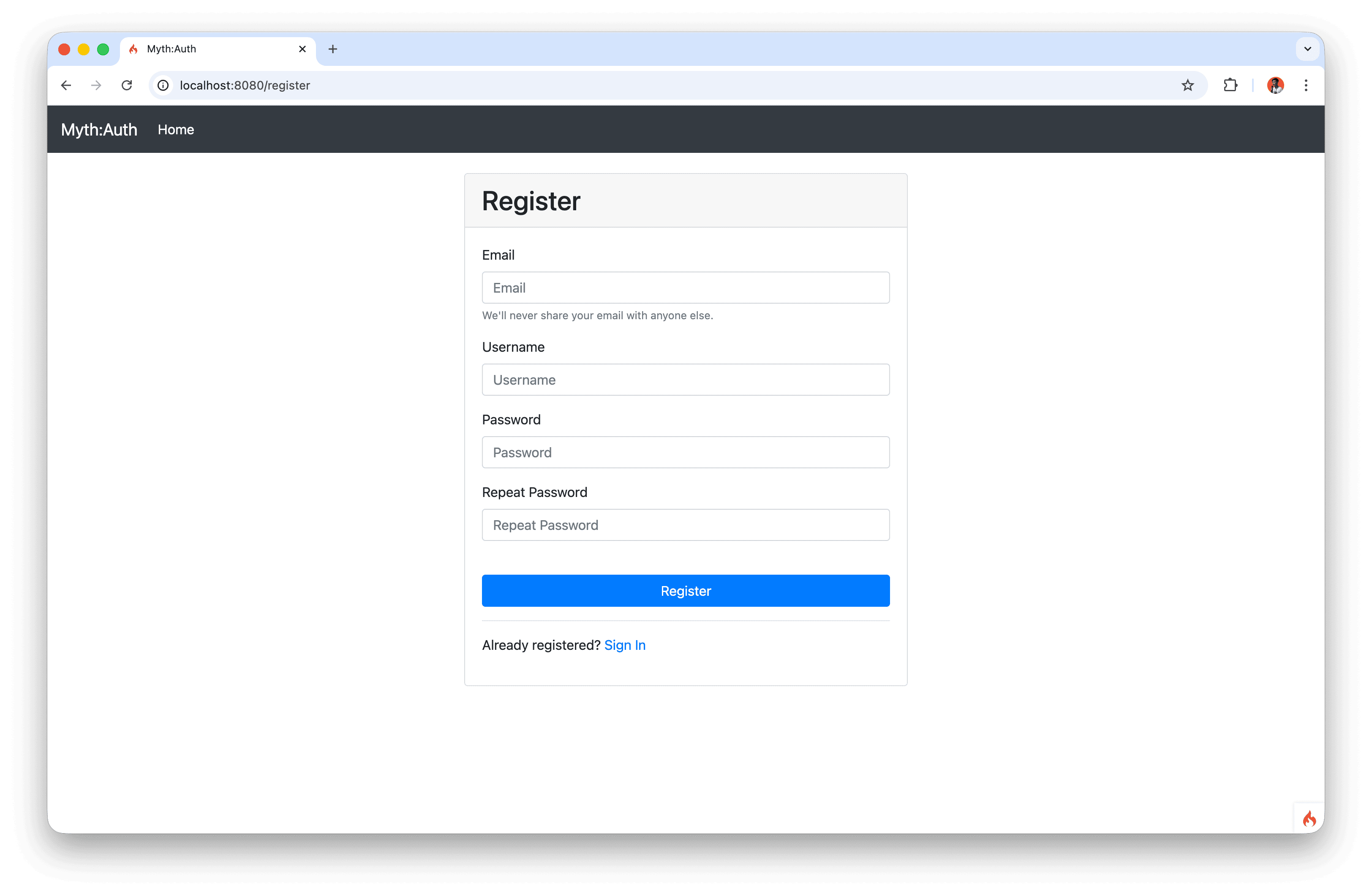
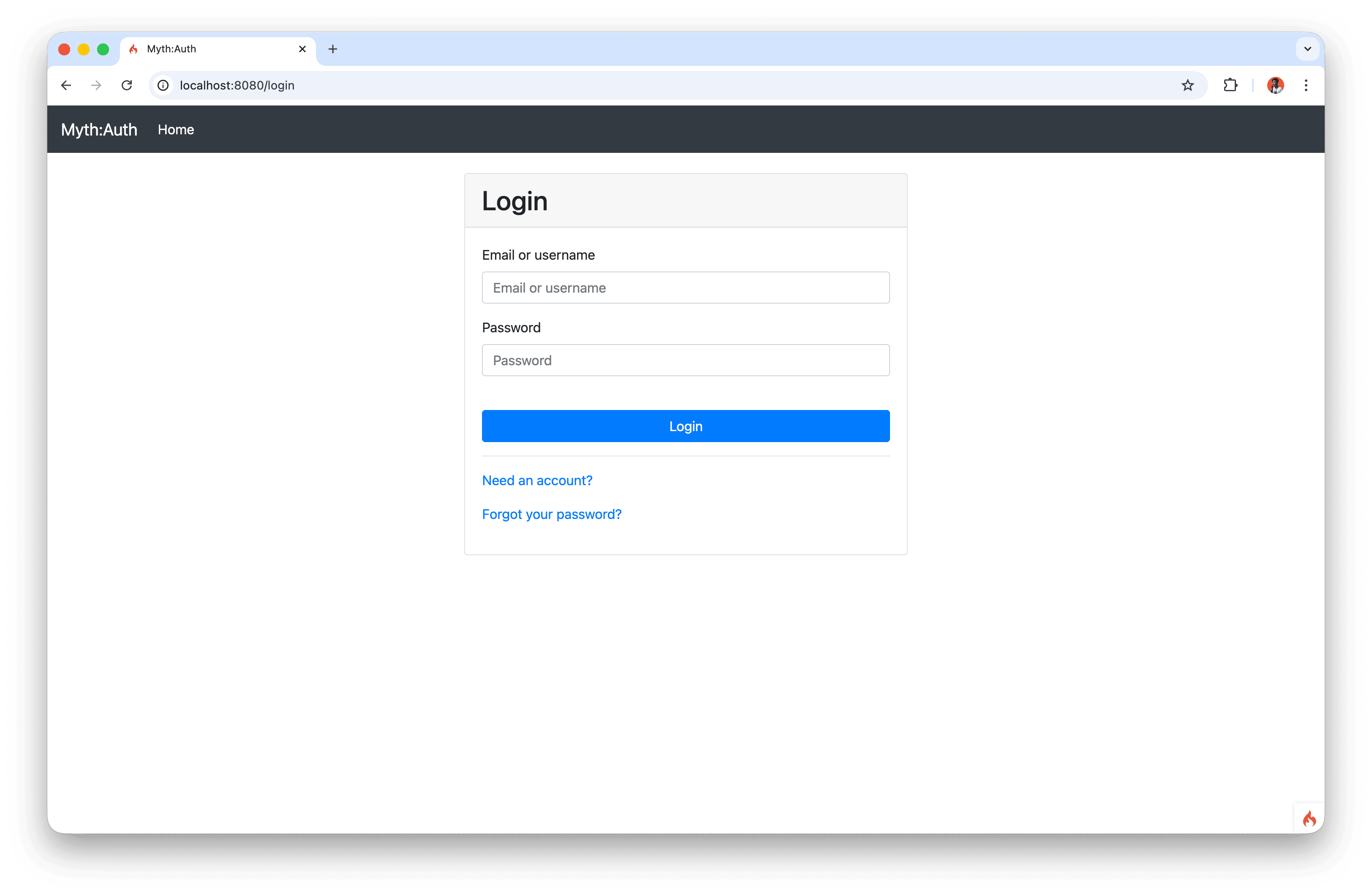
6. Test Registration and Login
Test steps:
- Visit the admin URL, for example
/admin/post. - Confirm you are redirected to the login page.
- Click register and create a new account.
- Log in with that account.
- Revisit the admin URL to ensure the filter works.
7. Notes on Problematic Code and Resolutions
These points are aligned with the real-world issues we want to avoid:
Migration command: Use
php spark migrate --all(the correct long option form), not an ambiguous command.Filter URL coverage: The pattern
admin/post/*does not include the plainadmin/postURL, so include both:admin/postandadmin/post/*.- Avoid editing files under
vendor/: The module may show example fixes in package files undervendor/myth/auth/.... This is not recommended because changes are lost when dependencies are updated. Safer options are:- Update the package to a compatible version.
- Override settings using app config files in
app/Configor custom extension classes inapp/.
Registration form bug:
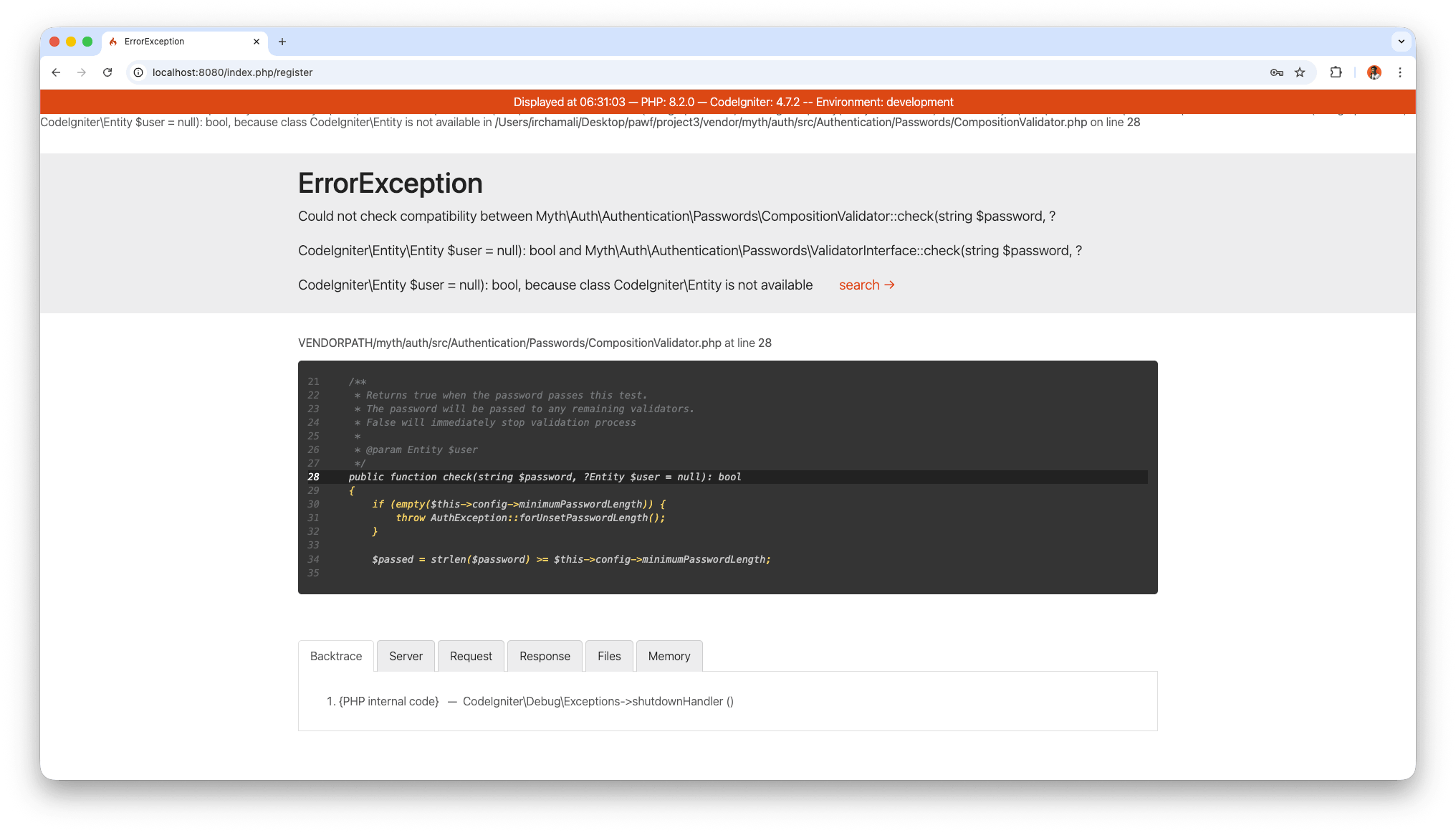
In some CI4 + Myth/Auth version combinations,
ValidatorInterface.phpcan fail during registration. The suggested temporary hotfix is to editvendor/myth/auth/src/Authentication/Passwords/ValidatorInterface.php:// originally use CodeIgniter\Entity; // change to use CodeIgniter\Entity\Entity; # updateImportant note:
- This is only a temporary fix to continue testing registration.
- Because it touches
vendor/, the change can be lost aftercomposer update. - The preferred solution is to upgrade the package/framework version that fixes this compatibility issue and then retest registration.
- One-route filtering is not enough: If you only add the filter to a single route, other admin routes can still bypass it. A cleaner solution is to apply the
loginfilter to the entireadminroute group.
8. Fix Login/Logout Display in Navbar
Add the auth helper globally in app/Controllers/BaseController.php:
protected $helpers = ['auth']; # add
Then update the navbar section (for example in app/Views/admin/admin_post_list.php) to render dynamically:
<li class="nav-item">
    <?php if (logged_in()) : ?>
        <a class="nav-link" href="<?= base_url('logout') ?>">Logout</a>
    <?php else: ?>
        <a class="nav-link" href="<?= base_url('login') ?>">Login</a>
    <?php endif; ?>
</li>
And update the frontend navbar, for example app/Views/layouts/navbar.php, to:
<button class="btn btn-outline-success" type="submit">
    <?php if (logged_in()) : ?>
        <a class="nav-link" href="<?= base_url('logout') ?>">Logout</a>
    <?php else: ?>
        <a class="nav-link" href="<?= base_url('login') ?>">Login</a>
    <?php endif; ?>
</button>
9. Summary
In this session we integrated Myth/Auth into the MyBlog project, set up validation and filters, and extended the admin area with authentication protection.
Key outcomes:
- Installed Myth/Auth and configured CodeIgniter 4 validation rules.
- Registered login and authorization filters.
- Created an app-level Auth override instead of modifying
vendor/files. - Ran migrations and confirmed the required authentication tables exist.
- Added login protection for admin routes and dynamic navbar login/logout links.
The result is a safer admin area that only allows authenticated users to continue, while preserving a clean upgrade path for Myth/Auth and framework compatibility.